
A browser showing the report
A PC or stick opens the report under a signed-in account. When that session expires, the morning starts with a sign-in page. And visuals that work on a monitor are often unreadable from a few metres away.

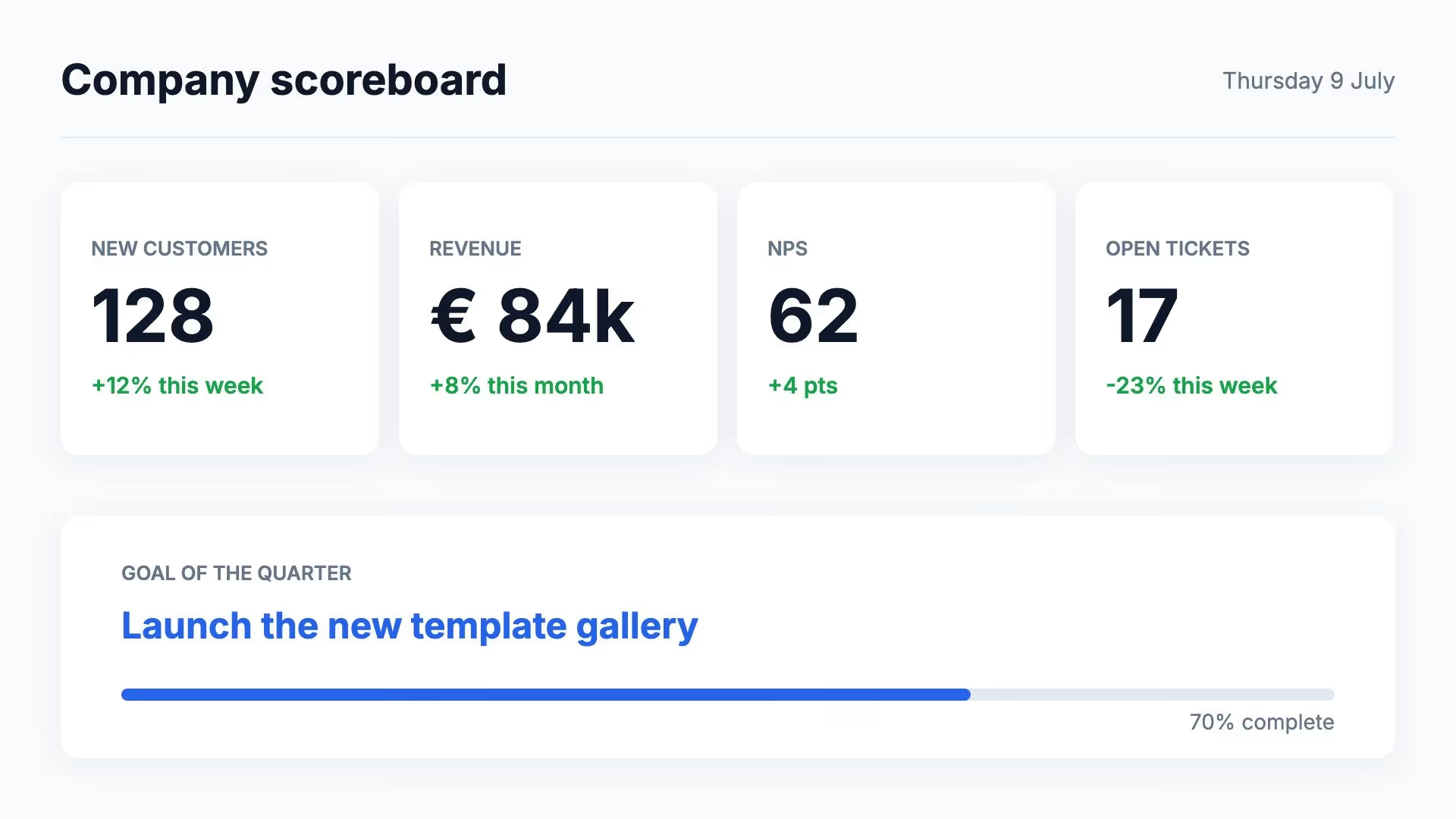
A Power BI report is made for a monitor at arm’s length. On a display in the corridor or on the production floor, you want the four figures that matter, large and clear. Lumicast fetches them from your model with a DAX query and refreshes them every 5 minutes.
Try Team for 14 days. No payment details needed.
The usual ways of getting Power BI onto a big display work well in a meeting room. On a wall, all day long, they run into limits.
A PC or stick opens the report under a signed-in account. When that session expires, the morning starts with a sign-in page. And visuals that work on a monitor are often unreadable from a few metres away.
The report gets a public link that anyone can open without signing in, including the data in the model behind it. Microsoft warns against sharing confidential information this way.
Lumicast requests only the values you need and places them in a page you design yourself. The display never signs in to Microsoft, and the page plays in its playlist alongside your other content.
Anything a DAX query returns as a table. A few examples of what that looks like on a display:
Today’s revenue next to the target, or units per line. With ROW() in your query, you get exactly those values back.
The best-selling products or the most deals this month. TOPN() returns a list you link to a repeating group: one row per result.
Put the figures next to the clock, the weather or posts from Teams. Or let the page alternate with other pages in the same playlist.
Let a page or campaign play only while the data meets a condition, for example when revenue passes the target. Its schedule still applies as well.
Create a data source with its own query for each department or hall, and give each display the page that belongs to it.
Lumicast runs the query again every 5 minutes. If your model refreshes once an hour in Power BI, the figures change once an hour too.
You design the page yourself in the editor, start from a template or ask Lumi, our AI designer, for a first draft. Where a figure should go, type / and pick the field from your Power BI data source. Fields keep their Power BI names, such as Sales[Revenue]. From then on, that spot always shows the latest value.
How to link data to a page →Two of the three steps are for your Power BI administrator. After that, it comes down to pasting a query.
Use a Microsoft account with a Power BI Pro licence (or a workspace on Premium or Fabric capacity) and read and build permission on the model. Your administrator turns on the Dataset Execute Queries REST API in the tenant settings.
Create a data source with the Power BI connection, sign in with that account and pick the workspace and semantic model. You don’t have to write the DAX yourself: in Power BI Desktop, copy a visual’s query from Performance Analyzer.
Link the fields to your page, add the page to a playlist and choose which displays play it, and when.
These templates are made for figures on a display. Open one in Lumicast and replace the sample figures with fields from your query.
In the office, a team’s figures sit next to the news and today’s birthdays. On the production floor, each hall shows its units, uptime and safety streak.
The Power BI connection comes with Team, as do the connections to Teams, SharePoint and Google Sheets. Your Power BI licence comes from Microsoft.
€20 per display per month
Billed yearly. Monthly billing: €25 per display. All prices exclude VAT.
Compare plans →Not as a report. The connection fetches values from your semantic model, not an image of a report or dashboard. You place the figures in your own page, which usually reads far better from a distance than a scaled-down dashboard.
An account with a Pro licence, or a workspace on Premium or Fabric capacity, with read and build permission on the model. The Dataset Execute Queries REST API tenant setting has to be on, and the account must be able to stay signed in without repeated manual sign-ins. These settings are up to your Power BI administrator.
Lumicast runs the query every 5 minutes. The result is as current as your model in Power BI, so with a model that refreshes every hour, you see new figures every hour.
Lumicast requests read-only access to the workspaces and models of the connected account and runs your query. The model itself is never changed. A separate account for the displays is best. With row-level security, you see the data as that account sees it.
The display keeps showing the last figures it received. Once they are well past their refresh time, the display shows a notice that the content may not be up to date. When the connection returns, the new figures appear.
Yes. The 14-day trial includes Team, so you can connect your own Power BI account. If you do not choose a plan afterwards, the displays stop playing. Your workspace and content remain available.
Connect your Power BI model during the trial and see how your figures look from across the room. Questions about access in Power BI? We’re happy to help.
Try Team for 14 days. No payment details needed.