
A digital menu board you keep up to date yourself.
Put your menu on a display above the bar or the counter. Start from a template, change a price whenever you like, and let the lunch menu appear on time by itself.
Try Team for 14 days. No payment details needed.
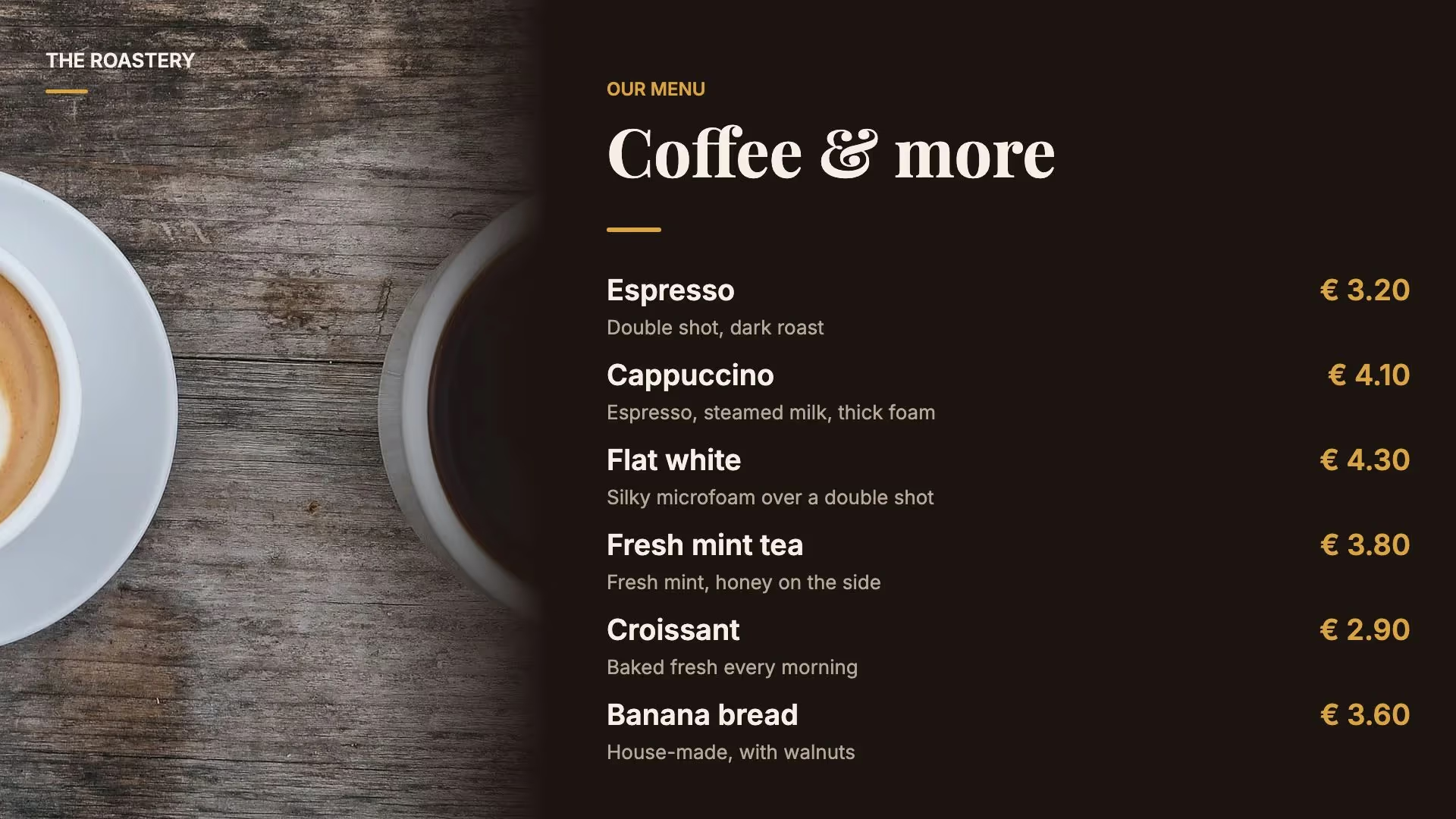
Start from a menu that’s ready to go.
Pick a template for a menu board, a daily special, lunch or the canteen, in landscape or portrait. Swap in your own dishes, prices and photos, and set the colours and fonts to match your brand.
See all templates →
Changing a price is changing the text.
Click the price in the editor and type the new one. The layout and the photo stay as they are. Colleagues helping with the menu? Turn it into a template page: they change the dishes and prices, and the design stays the way you set it.
How template pages work →Breakfast, lunch and dinner switch by themselves.
Make a page for each part of the day and set in the playlist when it plays. Nobody has to remember to switch it over.
By time of day
The breakfast menu plays until 11:00, then lunch takes over. A time window can run past midnight, so the late-night menu stays up from 22:00 to 02:00.
By day of the week
Show the brunch menu only on Saturdays and Sundays, or the Friday special only on Fridays.
For a set period
Schedule the Christmas menu between two dates. After the last day it disappears and the regular menu plays again.
Keep your menu in a table.
With Team, you keep dishes and prices in a table in Lumicast, or import them from a CSV file. In the editor, you link one line of the menu to that table, and it repeats for every dish in the table’s order. Change a price in the table and it’s right on every display showing the menu.
If the menu doesn’t fit on one display, the list pages through every few seconds. Already keep your menu in Google Sheets? You can connect that too.
How to link a table to your design →Or let Lumi design it.
Tell Lumi, our AI designer, what should go on the board, or attach a photo of your current menu as an example. Lumi turns it into a page that you can then adjust. Check the dishes and prices before you publish.
Lumi stays off until an owner turns it on, and owners and administrators can switch it off for the whole organisation. With Lumi off, nothing from your pages or prompts goes to Lumi’s AI providers.
More displays, more locations.
Give each display its own playlist: coffee and tea on the left, food on the right. With several locations, a campaign puts a seasonal menu on every display with the same tag at once, and it stops by itself after the last day.
Choose the plan that fits
From €17
Per display per month on Solo, billed yearly. For one user and one workspace with essential apps. Monthly billing is also available at €21 per display.
Team: €20 per display per month billed annually, or €25 billed monthly. For collaboration, multiple workspaces and more apps. All prices exclude VAT. Cancel any time, effective at the end of your billing period. Need a separate player? Our Pixie player is a one-off €150.
Compare plans →Practical questions.
Which display do I need for a menu board?
Lumicast runs without a separate player on supported Samsung smart TVs, Android TVs and professional displays from Samsung, LG and Philips. On other displays, connect a Pixie player over HDMI. If the display stays on all day, choose a professional display made for that.
Can the menu board be in portrait?
Yes. The menu templates come in landscape and portrait. Pick the orientation that matches how your display is mounted.
What happens if the internet goes down?
The menu already on the display keeps playing. Changes come through as soon as the connection is back.
Can I also show a QR code for our online menu?
Yes. The QR Code app puts a code on the display that links to your website or online menu. It’s included in every plan.
Do I need Solo or Team?
If you manage the displays yourself and change prices directly on the page, Solo is enough. If you want to keep the menu in a table or in Google Sheets, or colleagues help out, choose Team.
Can I try it first?
Yes. You can try Team free for 14 days, without payment details. Afterwards, you decide whether to take a subscription. Nothing is charged automatically.
Put your first menu on a display.
Pick a menu template, fill in your own dishes and prices, and see how it looks on your display.
Try Team for 14 days. No payment details needed.