
Show visitors the way, and change the route when something changes.
Put the floors, the companies in your building or the route to an event on a display in the lobby or by the lifts. When a team moves or a room is added, you change the text instead of ordering a new sign.
Try Team for 14 days. No payment details needed.
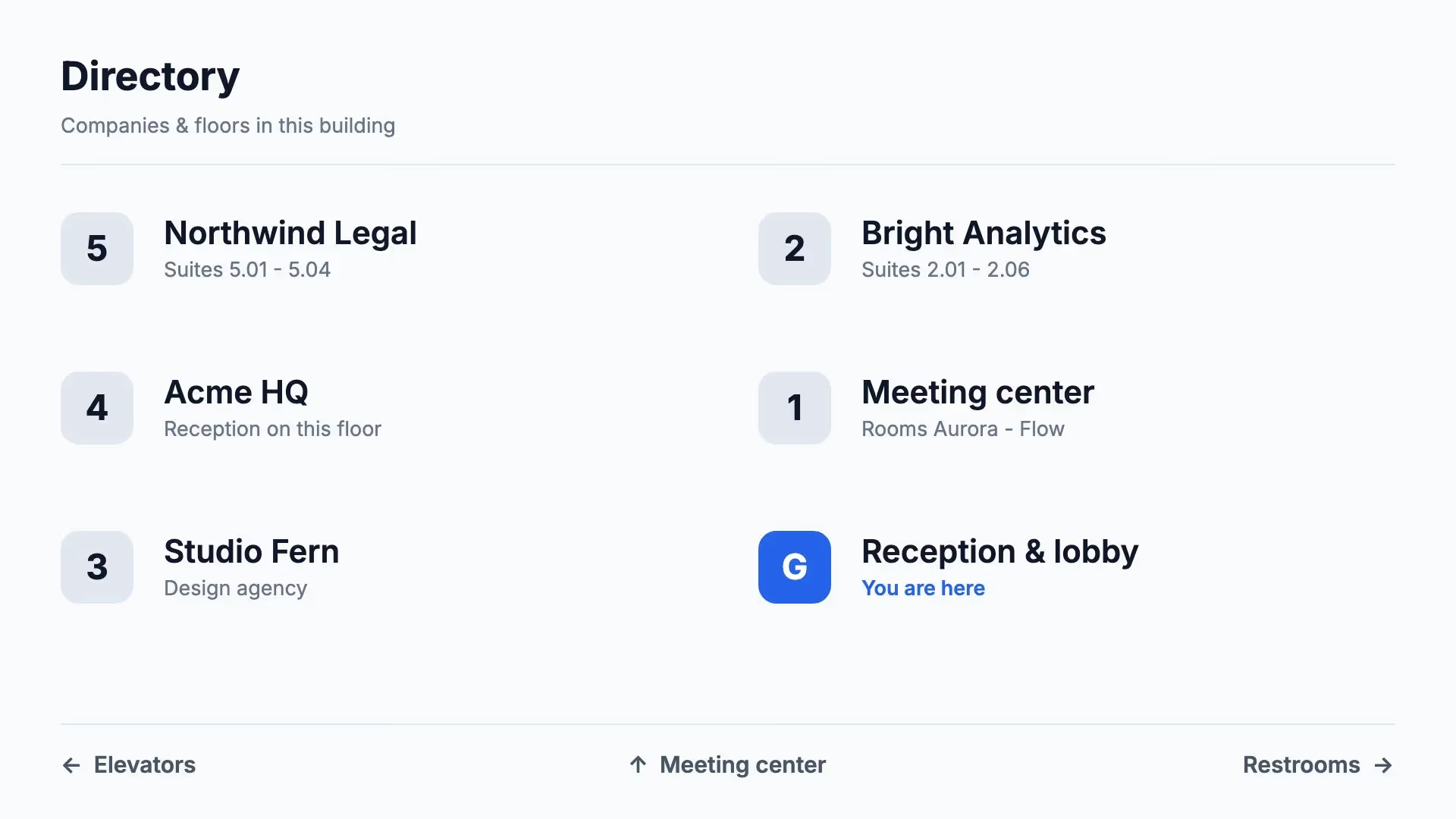
Start with a directory that is ready to go.
Choose a template for the companies on each floor, an overview of the floors, arrows to the main places or a welcome in the lobby, in landscape or portrait. Swap the names, arrows and photos for those of your building and apply your colours and fonts.
See all templates →
Every display points the right way.
An arrow to the left is only right in one place. That is why every display in Lumicast gets its own content.
A page for each display
The display by the lifts points left, the one by the stairs points right. Give each display the page or playlist that belongs to its spot.
You are here
Duplicate the directory for each floor and mark where the visitor is standing in each version. The rest of the design stays the same.
Every display in one overview
Give displays a tag, such as ‘Floor 2’, and see in one list which are online and what they show. You notice a display that has gone down before a visitor gets lost.
A move is a text change.
Turn the directory into a template page. Reception can then change a company name, room or floor while the layout stays as you set it. No new sign needed.
Lots of companies or departments in your building? With Team you keep the list in a table in Lumicast, or import it from a CSV file. One row of the design then repeats for every entry. Update the table and the directory is right on every display that shows it.
A temporary route that disappears by itself.
A conference, an open day or a closed entrance: schedule the route in advance, so nobody has to put signs out or take them away on the day.
Only on the day
Play ‘Event this way’ only on the date of the event, between the times you choose. The rest of the time, the regular directory shows.
On every display at once
Put the route on every display with the same tag, such as ‘Ground floor’, as a campaign. After the last day the campaign stops by itself.
A temporary diversion
An entrance or lift closed for a week? Schedule a notice with the diversion until the day everything reopens.
Portrait by the lifts, landscape in the lobby.
A sign by the lifts or stairs often hangs in portrait, an overview of the whole building in landscape in the lobby. Lumicast runs without a separate player on supported Samsung smart TVs, Android TVs and professional displays from Samsung, LG and Philips. On other displays you connect a Pixie player over HDMI.
Choose the plan that fits
From €17
Per display per month on Solo, billed yearly. For one user and one workspace with essential apps. Monthly billing is also available at €21 per display.
Team: €20 per display per month billed annually, or €25 billed monthly. For collaboration, multiple workspaces and more apps. All prices exclude VAT. Cancel any time, effective at the end of your billing period. Need a separate player? Our Pixie player is a one-off €150.
Compare plans →Practical questions.
Can visitors search or ask for a route on the display?
No. The display shows what you put on it: a list, a floor plan you add as an image, or arrows to the main places. An interactive kiosk with search or route planning is a different kind of system. For most buildings, a clear directory in the right place is enough.
Can the directory be in portrait?
Yes. The wayfinding templates come in landscape and portrait. Choose the orientation that matches how your display hangs.
Can a display also show whether a room is free?
Yes. Next to a meeting room door, you show from that room’s calendar whether it is free or booked, with the next booking. All you need is the room’s ICS link.
What happens if the internet goes down?
Whatever is already on the display keeps playing. Changes come through as soon as the connection is back.
Do I need Solo or Team?
If you manage the displays yourself and edit the directory on the page, Solo is enough: a page per display, scheduling and campaigns are included. If you want to keep the list in a table or colleagues such as reception help out, choose Team.
Can I try it first?
Yes. You can try Team free for 14 days, without payment details. Afterwards you decide whether to take out a subscription. Nothing is charged automatically.
Put your first directory on a display.
Pick a template, fill in the floors and names of your own building and see how it looks on your display.
Try Team for 14 days. No payment details needed.