
Opening hours and how to reach you
When the practice is open, how to book an appointment and which number to call when it’s urgent.
Opening hours, information for people while they wait and a notice when the practice is closed for the day. Use a TV that’s already on the wall or a professional display, and update it from your computer. For a GP surgery, dentist or physiotherapist.
Try Team for 14 days. No payment details needed.
Someone waiting looks at the display for a few minutes. Show what helps them at that moment, and mix it with something lighter.
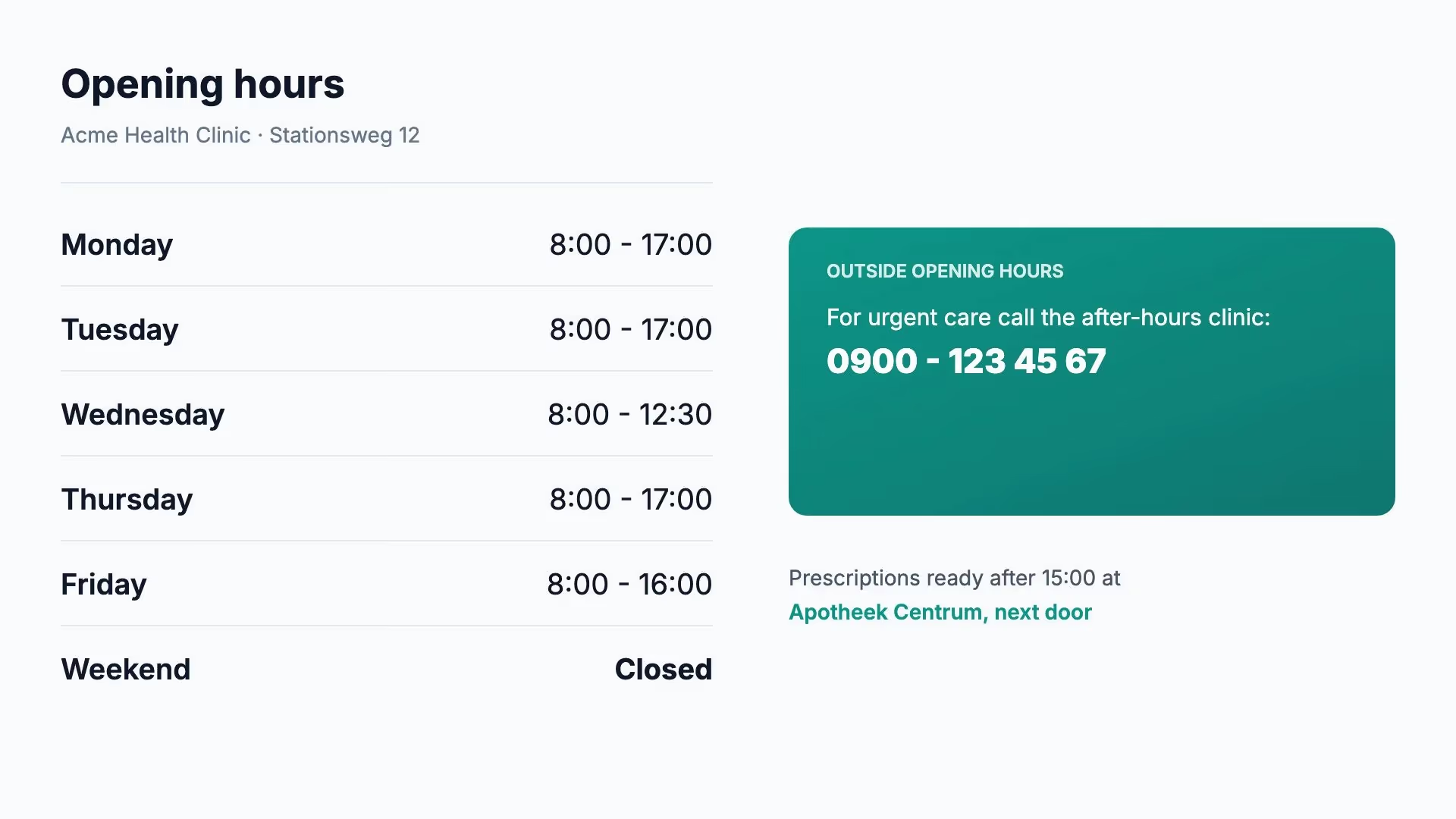
When the practice is open, how to book an appointment and which number to call when it’s urgent.
How checking in works, where to request a repeat prescription or why to clean your hands.
Introduce the assistants and practitioners with a photo, name and role.
A clear page with the number and the desk or room. You update it yourself; the template isn’t a connected calling system.
Closed on a bank holiday, a locum during the holidays or the flu jab days. With an end date, so the notice disappears by itself.
Ready-made apps for BBC News, the weather and a clock. They work with Solo too.
Open a template in Lumicast, fill in your practice’s details and publish. Every template comes in landscape and portrait.
Give each item in the playlist a schedule: weekdays only, only between 8:00 and 17:00 or only in a particular week. If the display stays on in the evening and at weekends, it can show the out-of-hours number at those times. A notice about changed opening hours stops by itself after the last day.
How scheduling works →You don’t need an expensive system. Check first whether the display that’s already there will do.
On professional displays from Samsung, LG and Philips, you install Lumicast on the display itself. No extra box, and made to stay on all day.
A Samsung smart TV can show Lumicast in its built-in browser. On other TVs, you plug a Fire TV Stick or our Pixie player into the HDMI port.
A TV made for the living room often isn’t built to stay on for hours every day. Whether it starts up again by itself after a power cut depends on the model.
You need a display with an internet connection and a Lumicast account. The trial costs nothing.
Start the player on the display or open player.lumicast.com. Enter the pairing code it shows in Lumicast.
Pick a template and add your own times and text. Or ask Lumi, our AI designer, for a first draft in your colours.
Add the pages to a playlist, give temporary notices an end date and publish. The display shows the change within seconds.
You don’t need to connect Lumicast to your patient system. The display only shows what you put on it: general information for everyone in the waiting room. With Team, an assistant can prepare a message and someone else publishes it.
Read how we handle your data →The player keeps the content on the device and carries on showing the pages it last received. When the connection is back, it picks up the changes.
Lumicast shows whether the display is online. On supported players, you can take a screenshot or restart them remotely.
From €17
Per display per month on Solo, billed yearly. For one user and one workspace with essential apps. Monthly billing is also available at €21 per display.
Team: €20 per display per month billed annually, or €25 billed monthly. For collaboration, multiple workspaces and more apps. All prices exclude VAT. Cancel any time, effective at the end of your billing period. Need a separate player? Our Pixie player is a one-off €150.
Compare plans →Often, yes. On a Samsung smart TV, you open Lumicast in the built-in browser. On other TVs, you plug a separate player into the HDMI port, such as a Fire TV Stick or a Pixie. On a professional display from Samsung, LG or Philips, you install the player on the display itself.
No. You put the information on the display yourself, without a connection. Would you like data to come in automatically? Tell us which system you use and we’ll look at what’s possible together.
Not automatically. There are templates for a queue number with a desk or room, but you update them yourself. If you’d like to show numbers from a calling system, get in touch and tell us which system you have.
No. The display plays whatever is scheduled at that moment and picks up changes as soon as it’s back on. With a schedule per item, it shows different information outside opening hours if it does stay on.
With Solo, €17 per display per month billed yearly, or €21 monthly. If colleagues work on the messages too, choose Team: €20 per display per month billed yearly, or €25 monthly. All prices exclude VAT. If you need a separate player, a Pixie costs a one-off €150.
After the trial, you choose whether to subscribe. Without a subscription, displays stop playing and your workspace stays available. You are not charged automatically.
Pair the display in your waiting room during the trial and see how your information looks from the chairs. Not sure about your TV? Ask us.
Try Team for 14 days. No payment details needed.